MQ cases
Before you start.
- You need an MQ environment (host, queue manager, channel, queue names). Create it first: Environments. Your administrator or the MQ team provides the connection details.
- The IBM MQ queue manager must be reachable from the AGIS server.
- You need a collection to hold the MQ cases.
- Chat generation of MQ tests is limited. See Generate tests with chat.
MQ cases
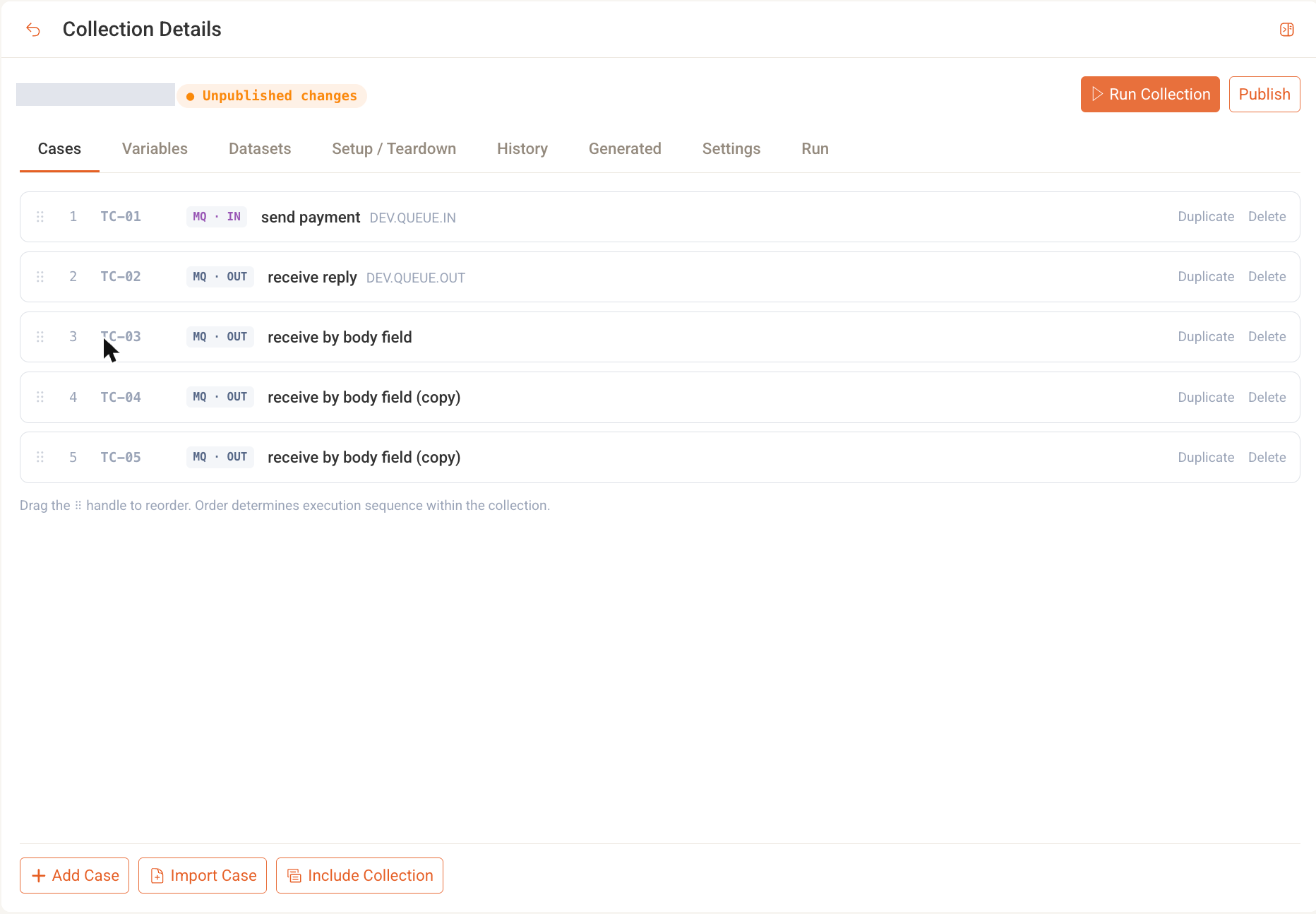
MQ case list: "MQ · IN" badge (AGIS puts a message) and "MQ · OUT" (AGIS reads a message). The "Unpublished changes" badge in the header means the draft differs from the published version.
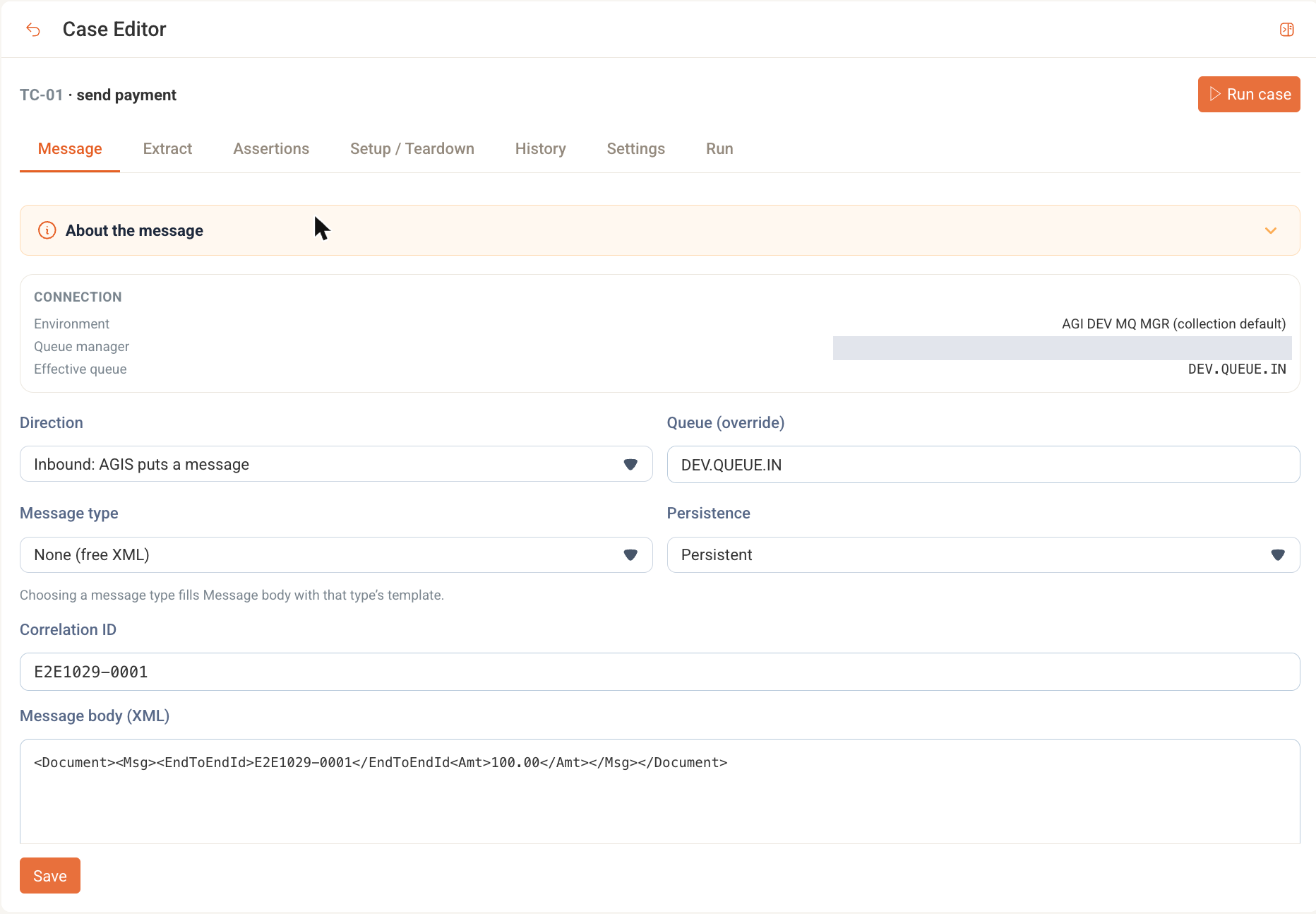
Inbound MQ case (TC-01 "send payment"): Message tab, CONNECTION (environment, queue manager, Effective queue), Direction, Queue (override), Message type, Persistence.
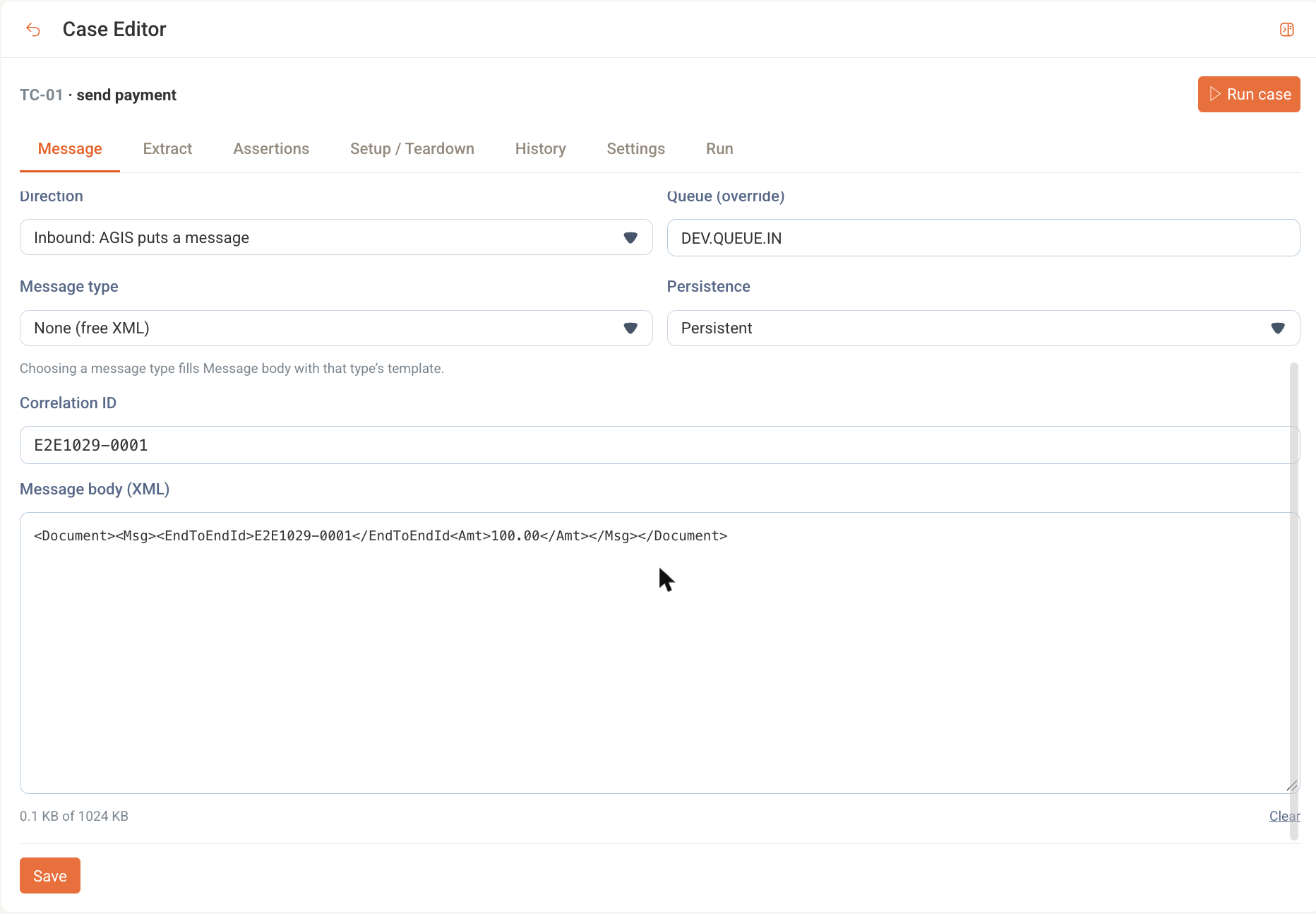
Inbound bottom: Correlation ID, Message body (XML) with the "0.1 KB of 1024 KB" counter and the Clear link.
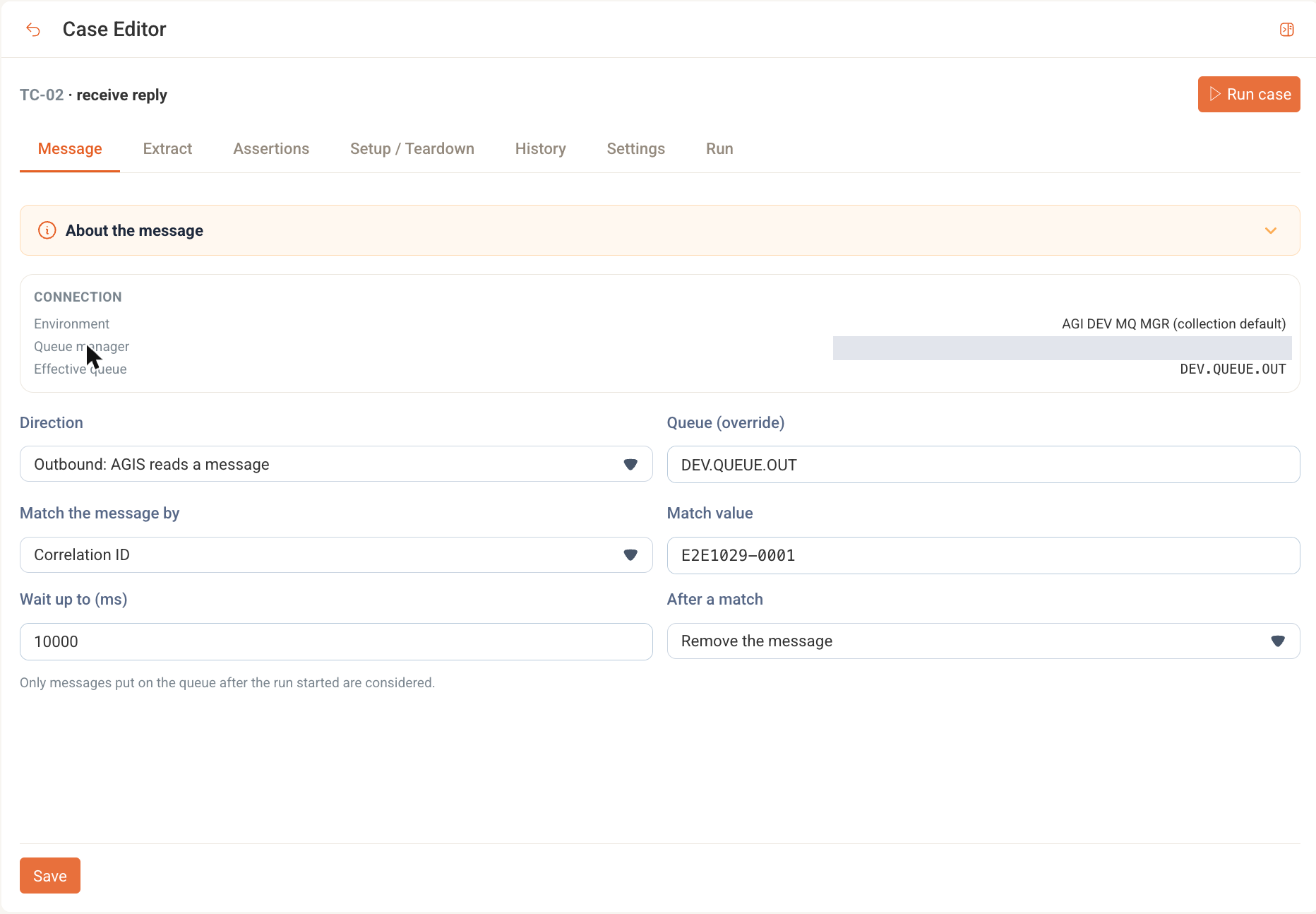
Outbound MQ case (TC-02 "receive reply"): Direction Outbound, Match the message by = Correlation ID, Match value, Wait up to (ms) = 10000, After a match = Remove the message.
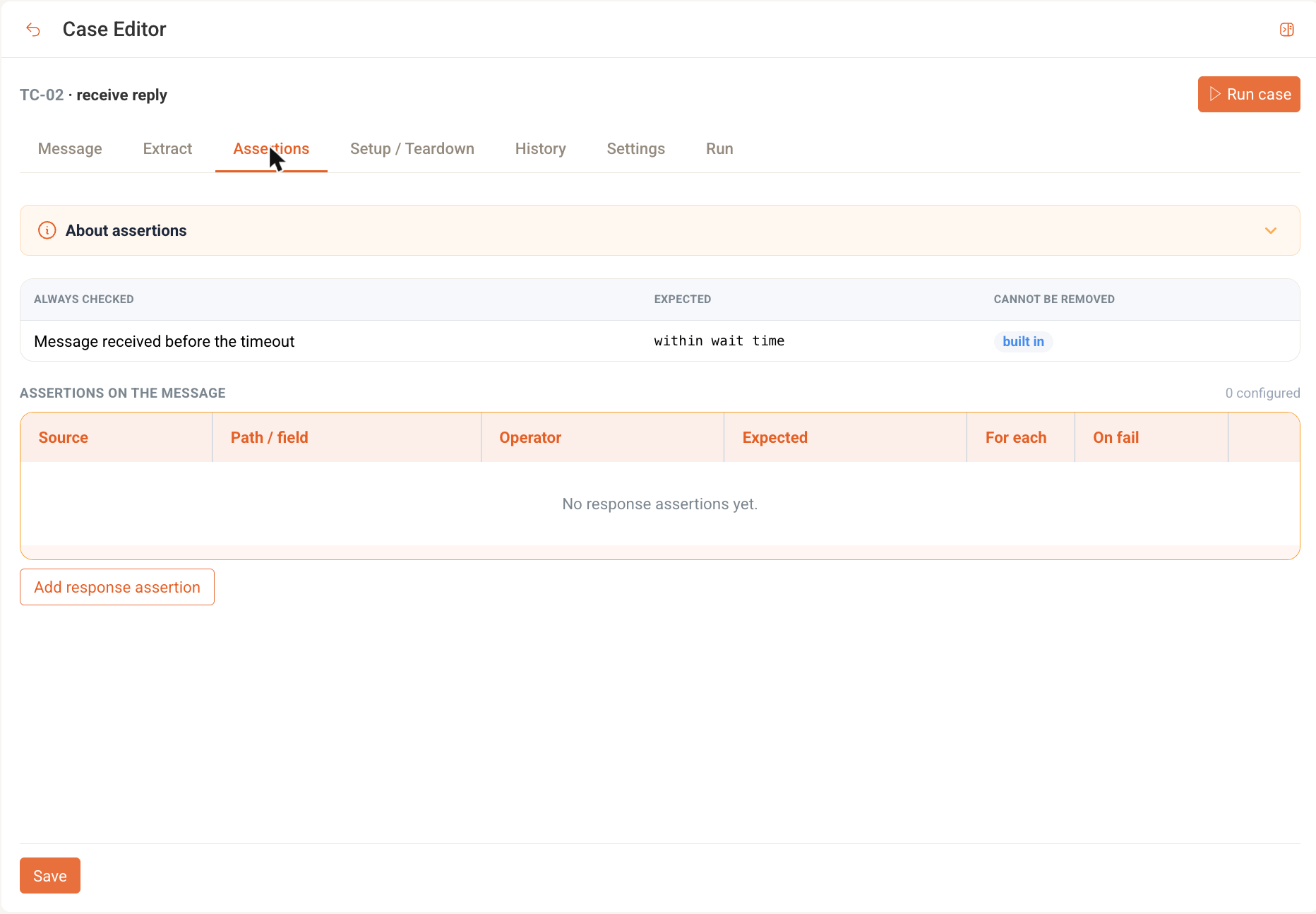
MQ Assertions: built-in row "ALWAYS CHECKED · Message received before the timeout · within wait time · built in (cannot be removed)", then "ASSERTIONS ON THE MESSAGE" with Add response assertion.
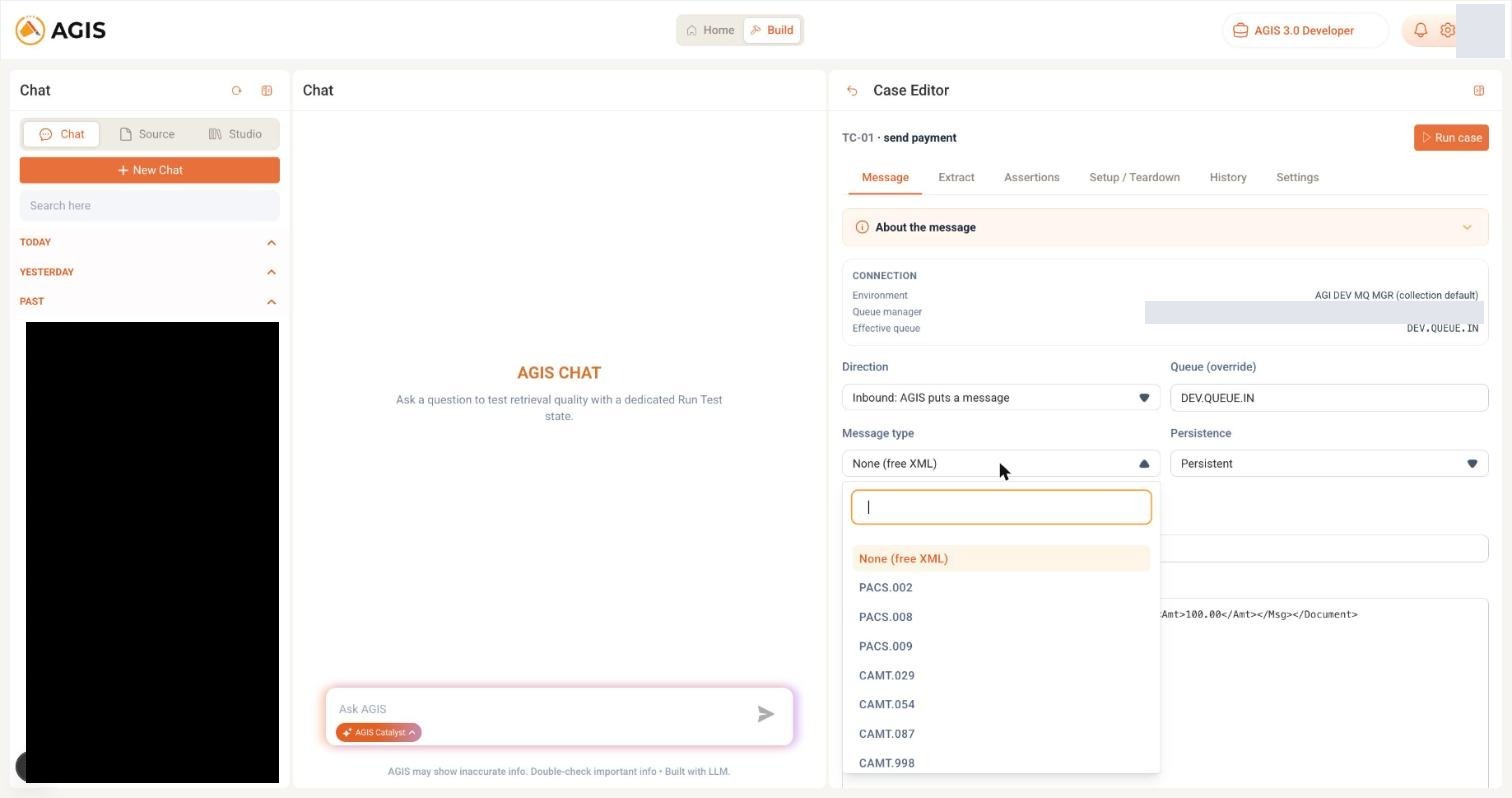
Message type choices (message templates).
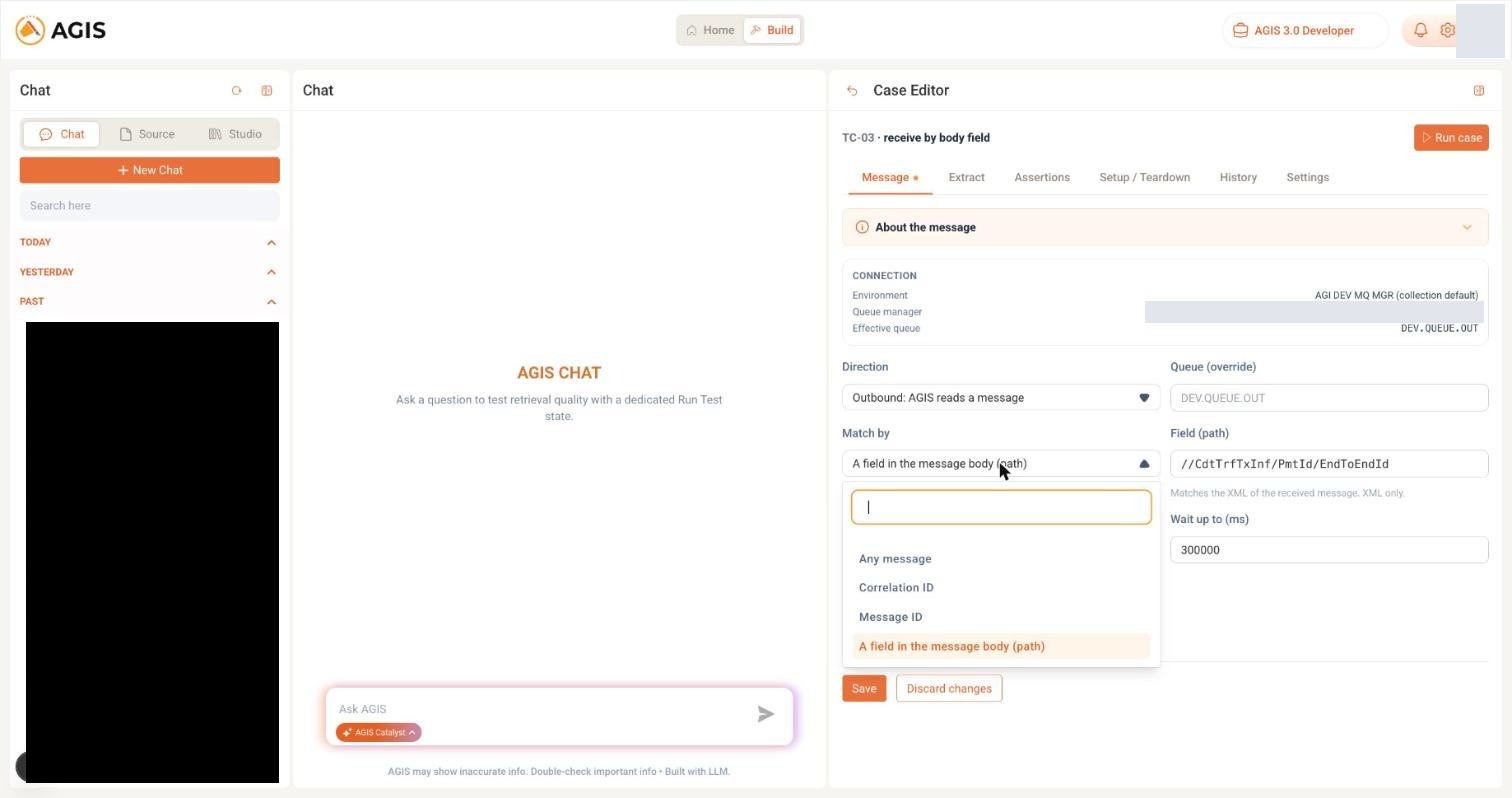
Match the message by options.
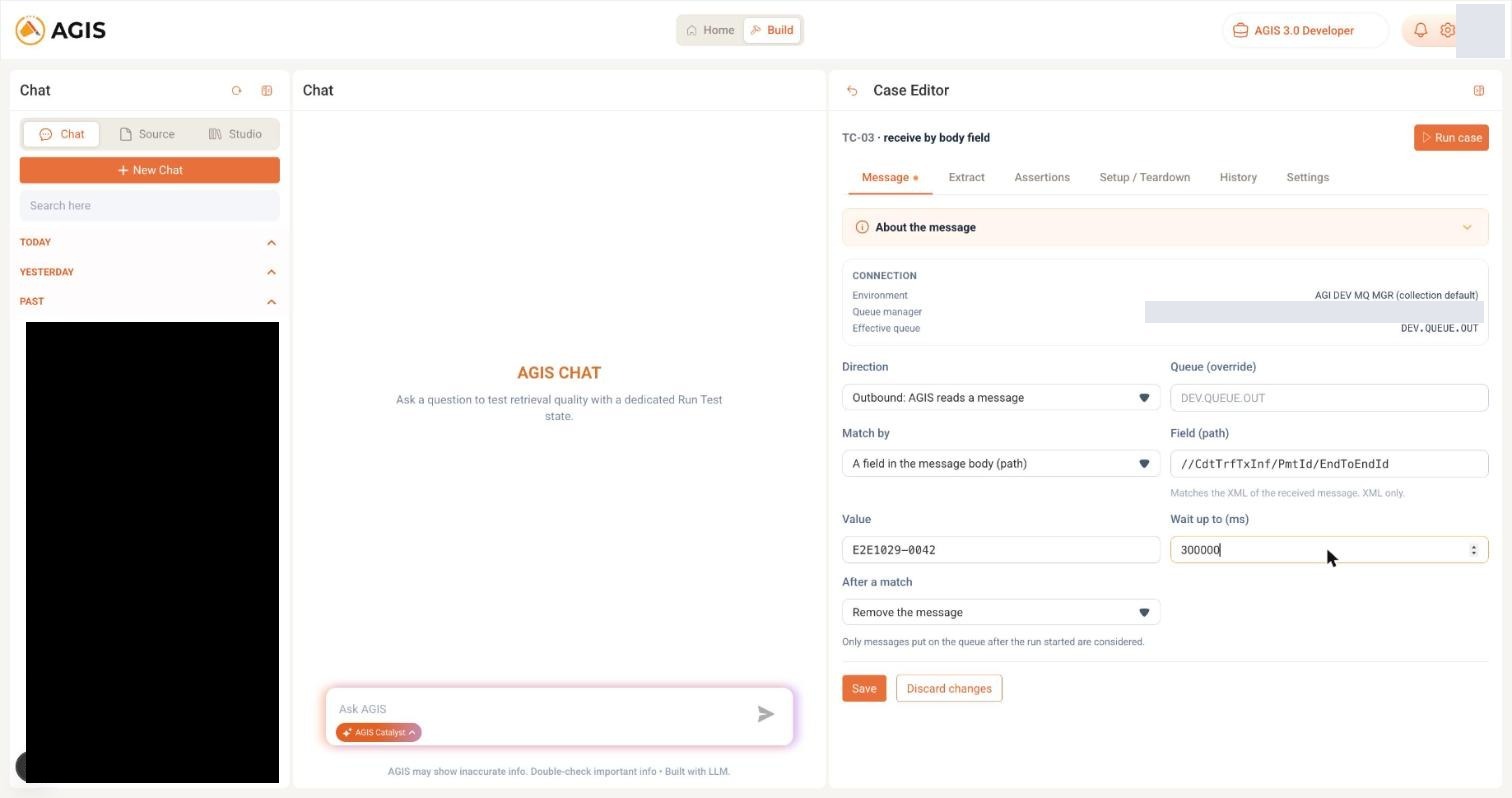
Wait up to (ms), maximum 300000.
MQ case tabs: Message, Extract, Assertions, Setup / Teardown (called Steps), History, Settings, Run. There is no Request, Data or Compare.
| Element | Source / options | Function & result |
|---|---|---|
| MQ case list row | Automatic | The "MQ · IN" / "MQ · OUT" badge replaces the HTTP method badge. |
| CONNECTION (read-only) | Automatic | Environment (collection default or pinned), host:port · queue manager · channel, and Effective queue. If empty: set the MQ default in the collection or pin one in Settings. |
| Direction | Inbound: AGIS puts a message / Outbound: AGIS reads a message | Inbound = AGIS puts a message; Outbound = AGIS reads a message leaving the system. |
| Queue (override) | You enter; default from the environment | Overrides the environment queue for this case. |
| Message type | None (free XML) or a template (e.g. camt/pacs) | Choosing a type fills the Message body with its template. |
| Persistence (Inbound) | Persistent / Non-persistent | Whether the message survives a queue manager restart. |
| Correlation ID (Inbound) | You enter, {{run.x}} allowed | Correlation ID used to match the reply. |
| Message body (XML) | You enter (max 1 MB; counter "0.1 KB of 1024 KB") | The message content. The Clear link empties it. |
| Match the message by (Outbound) | Any message, Correlation ID, Message ID, A field in the message body (path) | How the message to read is chosen. The "body path" option uses XPath (XML only), e.g. //*[local-name()='EndToEndId'], plus a Value. |
| Wait up to (ms) | Number, default 10000, max 300000 | How long to wait for the message. Only messages arriving after the run started are considered. |
| After a match | Remove the message / Leave it (browse) | The message is consumed (removed from the queue) or only looked at. |
| Extract (MQ) | MQ_BODY_XPATH, MQ_HEADER, MQ_ARRIVAL_MS | Saves parts of the message / arrival time into variables. |
| Assertions (MQ) | Table "ALWAYS CHECKED · EXPECTED · CANNOT BE REMOVED": "Message received before the timeout · within wait time · built in"; then "ASSERTIONS ON THE MESSAGE" (Add response assertion). Same MQ sources | An Inbound case has no assertions (it only puts). Switch it to Outbound to add some. |
| Steps: Before the case | GENERATE_VALUE, SET_VALUE, PUT_MQ | Prepare values / put messages before the case. |
| Steps: After the case | PUT_MQ only | E.g. a cancellation message after the case. |
Message types
On an Inbound case the Message type list fills the Message body (XML) with a template. The templates are built into the UI (they are not stored on the server). The type is saved as the ISO 20022 identifier shown below.
| Label in the list | Saved identifier |
|---|---|
| None (free XML) | — (you write the body yourself) |
| PACS.002 | pacs.002.001.12 |
| PACS.008 | pacs.008.001.10 |
| PACS.009 | pacs.009.001.08 |
| CAMT.029 | camt.029.001.11 |
| CAMT.054 | camt.054.001.10 |
| CAMT.087 | camt.087.001.08 |
| CAMT.998 | camt.998.001.03 |
| Transmission.report | Transmission.report |
The Steps tab
Steps run before and after the case. Before the case you can generate or set values and put messages; after the case you can only put messages (for example a cancellation).
| Step / field | Options | Function & result |
|---|---|---|
| Generate a value | Target variable (run.name or a local name), Generator, Arguments (JSON, optional) | Creates a value (UUID, timestamp, random, hash, literal, …) into a variable. Generators: UUID, TIMESTAMP, RANDOM_STRING, RANDOM_NUMBER, HASH, PKCE_VERIFIER, PKCE_CHALLENGE, LITERAL (see Setup and teardown). |
| Set value | Target variable, Value | Sets a variable to a fixed value. |
| Put a message | Queue (blank = environment inbound queue), Message type, Correlation ID ({{run.name}} allowed), Message body (XML) | Puts a message on the queue. "Always sent persistent. A put is a real side effect and is never retried." |
| If this step fails (before-steps) | Block this case / Continue | Whether a failed setup step blocks the case. |
| After-steps | — | "Always runs. A failure here is recorded but never changes the outcome." |
| Remove step · empty state | — | Deletes a step. Empty: "No steps yet." |
